How to Go Live on TikTok From a PC With OBS
November 9, 2026 · StreamRove Team
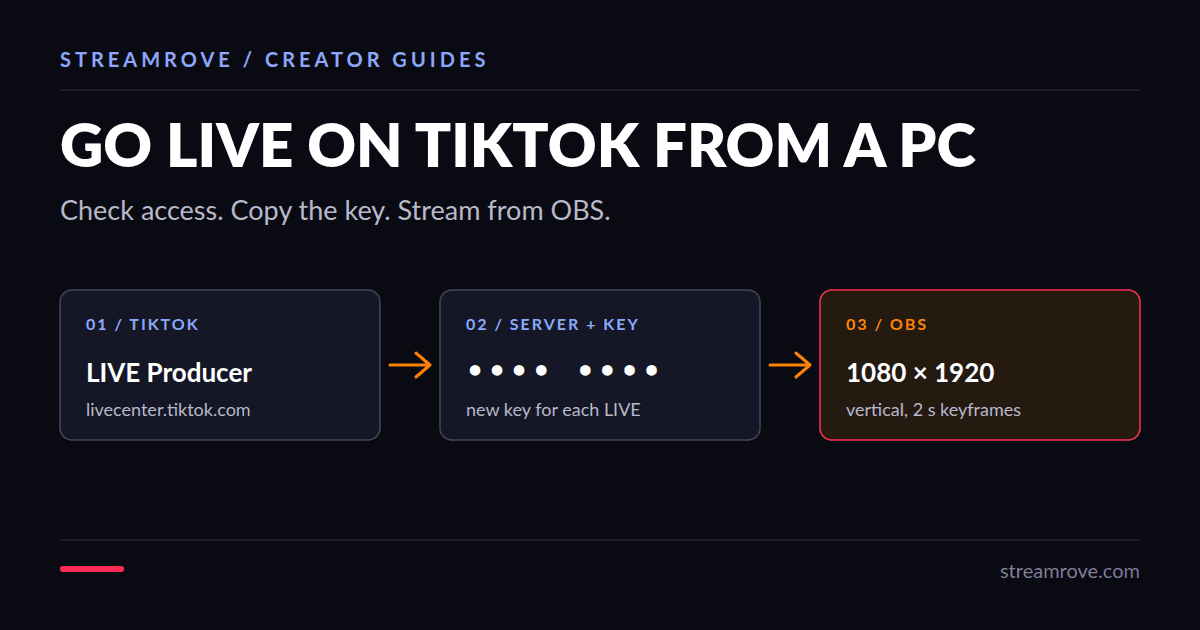
Going live on TikTok from a computer works like any other RTMP stream: TikTok gives you a server URL and a stream key, you paste both into OBS, and you press Start Streaming. The catch is that TikTok decides who gets that key, and plenty of accounts that can go live on the phone still don't see it.
Check whether your account can stream from a PC
TikTok doesn't publish one fixed rule. Most creators report needing about 1,000 followers and being at least 18, but TikTok tests access with smaller accounts too, and the rules differ by region. The quickest test is to look:
- Sign in at TikTok LIVE Center on your computer.
- Open the LIVE Producer, or look for a streaming-software option when you set up a LIVE.
- If you see a server URL and a stream key, your account can stream from OBS.
If there is no key, nothing on your side unlocks it. No third-party tool can grant TikTok LIVE access. TikTok's own LIVE Studio app for Windows is the other way to stream from a computer, and some accounts get it before they get a key. Its rules are on TikTok's going live help page.
Get the server URL and stream key
In LIVE Producer, enter a title and a topic and save. TikTok then shows the server URL and the stream key. Copy both. Our TikTok stream key guide shows where they sit.
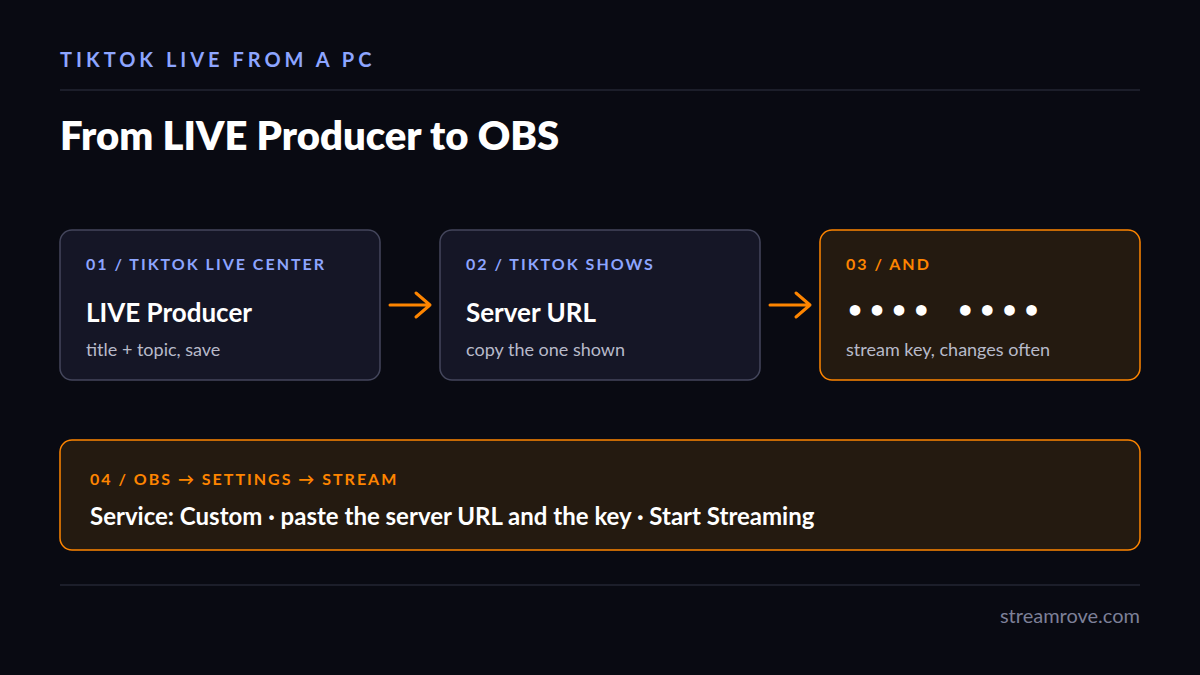
Two things trip people up. The key changes: TikTok often issues a new one for each LIVE, so a key saved from last week won't work today. And the server URL is different for different accounts, so copy the one TikTok shows you rather than one from a tutorial.
Set up OBS for TikTok
TikTok is watched on phones, so send a vertical picture.
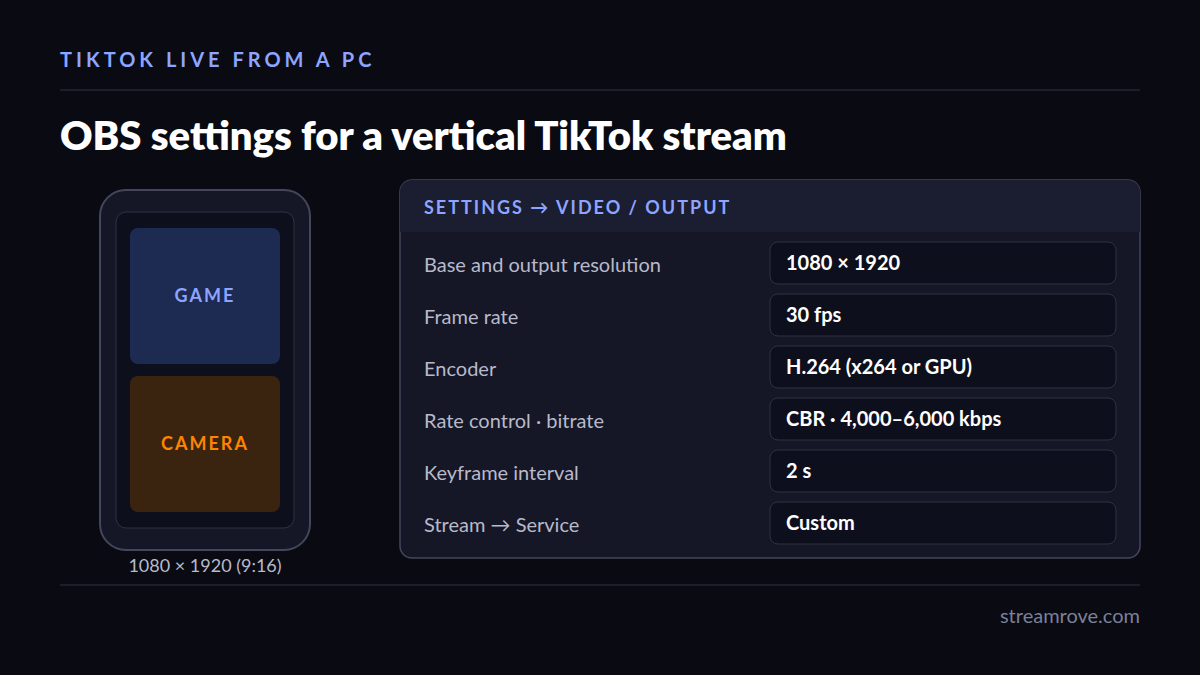
- In OBS, open Settings → Video. Set both the base and output resolution to 1080×1920 (or 720×1280 on a slow upload). Choose 30 fps unless you need 60.
- Rebuild your scene for the tall canvas. A webcam and game capture that looked fine at 16:9 will need to be stacked or cropped.
- Open Settings → Output, switch Output Mode to Advanced, and set the encoder to x264 or your GPU's H.264 encoder. Use CBR, 4,000 to 6,000 kbps for 1080p, and a keyframe interval of 2 seconds. (Why 2 and not the default 0 is in our keyframe interval guide.)
- Open Settings → Stream, set Service to Custom, and paste the server URL and the stream key.
- Press Start Streaming in OBS, then go back to LIVE Producer and start the LIVE there if it asks you to.
Not sure what bitrate your connection can hold? The bitrate calculator works it out from your upload speed.
If OBS won't connect
"Failed to connect to server" with TikTok almost always means the key has expired. Start a new LIVE in LIVE Producer and paste the fresh key. If the stream connects but TikTok shows a black screen, check that OBS is sending H.264 video and AAC audio, and that a scene is actually selected.
Stream to TikTok, YouTube and Twitch at once
OBS sends to one service at a time unless you add a plugin. With StreamRove, OBS sends one feed and we pass it on to TikTok, YouTube, Twitch, Kick and others together. Add TikTok as a destination with the server URL and stream key from LIVE Producer, add the others, and point OBS at StreamRove instead of TikTok.
One limit is worth knowing before you plan a show: TikTok wants a tall picture and YouTube and Twitch want a wide one. If you send the same feed everywhere, one side gets black bars. StreamRove's browser studio has layouts that fill a 9:16 frame, which helps when TikTok is the main audience.
You can try this on the free Sandbox plan: two destinations, five output hours a month, broadcasts of up to an hour, and a StreamRove watermark. No card needed.
Common questions
Can I go live on TikTok from a Mac? OBS runs on a Mac, so if your account has a stream key, yes. TikTok's LIVE Studio app was built for Windows; check TikTok's download page for a Mac version before you count on it.
Why did my key stop working mid-week? TikTok issues new keys often. Copy a fresh one each time you start a LIVE.
Does connecting TikTok to StreamRove give me LIVE access? No. Signing in with TikTok only confirms which account is yours. TikTok decides who may go live, and the stream still uses the key from LIVE Producer.